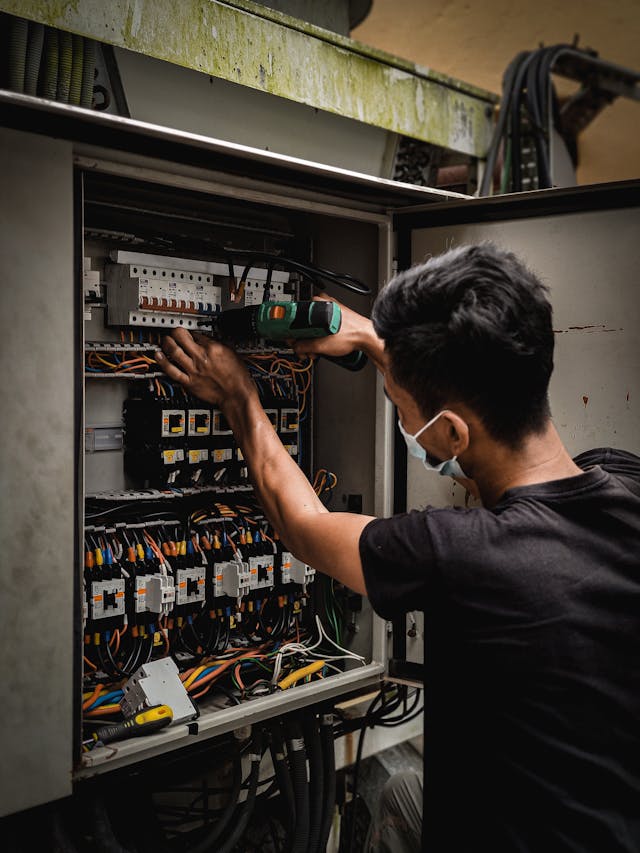
Your tech is in a basement next to a leaking water heater. Concrete walls, no windows, zero bars. He needs to pull up the job notes, see what the customer was quoted last visit, log the parts he just used, and collect the $480 the job came to.
His app shows a spinning loader. Then “no connection.” Then nothing.
So he writes the parts on a scrap of paper, tells the customer “the office will email you an invoice,” packs up, and drives to the next call. The job that should have been closed and paid before he left the driveway is now stuck in your 30-day collection cycle — not because the customer wouldn’t pay, but because the software couldn’t work where the work happened.
This is one of the most common and least-discussed failures in field service software. Most apps are built for an office with WiFi, not a crawl space, a mechanical room, or a rural property 20 miles past the last cell tower. The marketing page says “offline mode.” The reality is a cached job list and not much else.
This guide breaks down what real offline support actually requires, what it costs you when you don’t have it, and which apps genuinely deliver it versus which ones just claim to.
Where the Signal Actually Dies
If you run a service business, your techs spend a meaningful chunk of their day in places phones don’t work well:
- Basements and crawl spaces. Plumbing calls almost always end up here. Concrete and earth kill the signal.
- Mechanical rooms and rooftops. HVAC techs work in steel-walled equipment rooms and inside buildings where the signal never reaches the interior.
- Electrical panels and new construction. Electrical work often happens in unfinished buildings with no power, no WiFi, and no service.
- Rural and remote properties. Landscaping, septic, well, and agricultural jobs are routinely well outside reliable coverage.
- Parking garages, elevators, large commercial interiors. Dead zones are the rule, not the exception.
None of this is rare. For a lot of trades, the majority of jobs involve at least a few minutes with no usable connection — usually at the exact moment the tech needs to finish the work order, build the invoice, and ask for payment.
What Working Offline Actually Costs You
The cost of a weak offline app isn’t abstract. It’s the same delayed-payment math that drains every contractor’s cash flow, except it’s self-inflicted by the software.
Say your average ticket is $450 and a tech runs 4 jobs a day. If even 15% of those jobs happen somewhere with no signal, that’s roughly one out of every seven jobs where the tech can’t collect on-site. Across a 5-tech team, that’s about $75,000 to $100,000 a year in completed work that defaults straight into the delayed-payment cycle.
That money isn’t lost outright, but it’s expensive. As we covered in our breakdown of how to collect payment on the job site, every day an invoice sits unpaid costs you in financing, missed supplier discounts, and jobs you can’t take because the cash is tied up. A contractor floating an extra $90,000 in receivables at even 2% financing cost is burning real money — on revenue they already earned.
And payment is only the visible cost. When the app can’t work offline, your tech also can’t:
- See the customer’s history, so he repeats questions and looks unprepared.
- Log parts and time accurately, so your job costing gets reconstructed from memory back at the shop.
- Capture before/after photos and a signature, so disputes have no documentation.
- Trigger the automatic status updates that keep the customer informed.
Every one of those gaps gets patched later with manual office work — re-keying notes, chasing signatures, sending invoices the next day. It’s slow, it’s error-prone, and it’s exactly the work the software was supposed to eliminate.
What True Offline Mode Has to Do
Here’s where most “offline” apps fall short. They cache a read-only copy of today’s jobs so the tech can look at the schedule. That’s it. The moment the tech tries to do something — change a record, generate an invoice, take a payment — the app needs a connection and stalls.
Real offline support means the tech can run the entire job end to end with the phone in airplane mode, and everything syncs automatically the second the device reconnects. That’s a higher bar, and it requires all of the following:
- View full job details and customer history offline. Not just today’s address — the full work order, prior visits, equipment notes, and what was quoted last time.
- Take photos and capture signatures. Store them on the device and attach them to the job, ready to sync.
- Log time and parts as the work happens. So the work order and job cost are accurate, not guessed at later.
- Generate the invoice on the spot. Calculate line items, tax, and the final total, and show it to the customer.
- Capture a card payment offline. This is the one almost nobody does. The card is taken securely on the device and the transaction queues locally.
- Sync automatically on reconnect. When the tech walks up the basement stairs or drives back into coverage, the payment processes, the receipt sends, photos upload, and your books update — with no one tapping a “sync now” button and no risk of duplicate or lost records.
That last point is the difference between an app that tolerates losing signal and an app that’s actually built for it. You can read more about how this works in RevoField’s offline mobile capabilities and the broader mobile app for techs.
Collect Payment Even With No Signal.
RevoField lets your techs invoice and take card payments in basements and dead zones — everything syncs the moment they reconnect.
Start Your Free 30-Day Trial
Watch Demo
$49/month flat for up to 5 users • No credit card required • Set up in under an hour
Quick Comparison: Offline Capability by App
Here’s how the major field service apps actually stack up on offline functionality. This isn’t about overall quality — several of these are good products — it’s specifically about what works when the connection drops.
| Capability | RevoField | ServiceM8 | Jobber | Housecall Pro | FieldPulse |
|---|---|---|---|---|---|
| View jobs & customer history offline | Yes | Yes | Limited | Limited | Partial |
| Photos & signatures offline | Yes | Yes | Partial | Partial | Partial |
| Log time & parts offline | Yes | Yes | Limited | Limited | Partial |
| Generate invoice offline | Yes | Yes | No | No | Limited |
| Capture card payment offline | Yes | Limited | No | No | No |
| Auto-sync on reconnect | Yes | Yes | Partial | Partial | Partial |
| Price for 5 users | $49/mo flat | ~$100–$200/mo | ~$250–$350/mo | ~$300–$400/mo | ~$300+/mo |
1. RevoField — Full Offline, Including Payments
RevoField is built around the assumption that the connection will drop, because for most trades it does. Offline isn’t a degraded fallback mode — it’s the same workflow your tech uses everywhere else, just without needing a signal.
What Works Offline
- Everything the tech needs to close a job. View the full work order and customer history, take photos, capture a signature, log time and parts, and generate the invoice — all with no connection.
- Card payments offline. This is the differentiator. The tech takes the card on the device, the transaction queues locally, and it processes automatically the moment the phone reconnects. The customer pays on site; you don’t wait 30 days. See how invoicing and payments work together.
- Clean auto-sync. No “sync now” button to forget, no duplicate records when coverage flickers. The tech walks out of the basement, and the job is closed, paid, and on the books.
Who It’s Best For
Small teams of 2 to 15 doing residential and light commercial work in real-world conditions — basements, crawl spaces, mechanical rooms, rural routes. The flat $49/month for up to 5 users (not per user) makes it the clear value pick, and you can see the full breakdown on the features page.
Where It Falls Short
RevoField is newer to the market than the incumbents, so it has fewer third-party and Zapier integrations. If your workflow depends on connecting a lot of niche tools, check the integrations page before committing.
2. ServiceM8 — Genuinely Strong Offline, Built for Remote Work
ServiceM8 deserves real credit here. It comes out of Australia, where rural connectivity is unreliable across huge service areas, and it was engineered for that from the start. Its offline support is among the best in the category.
Strengths
- Reliable offline job management. Techs can view jobs, take photos, capture signatures, log work, and build quotes and invoices without a connection. It syncs cleanly when back online.
- Built for dead zones. The whole app is designed around the assumption that connectivity comes and goes, which shows in how stable it is offline.
- Simple and fast. If you want scheduling, quoting, and invoicing done well without complexity, ServiceM8 delivers.
Weaknesses
- Offline card payments are limited. Invoicing works offline, but taking the actual card payment generally still requires a connection — so you can close the job offline but may not capture the money until you reconnect.
- No customer portal. Customers can’t self-serve job history or upcoming work.
- iOS-focused. The experience is best on Apple devices; Android is less polished.
Who It’s Best For
Solo operators and very small teams who spend a lot of time in remote areas and want rock-solid offline job handling. If your top priority is capturing payment offline too, it’s a notch behind RevoField on that one point.
3. Jobber — Limited Offline
Jobber is a clean, popular platform that does the basics well, but offline is a known weak spot. The app caches enough to view some job information, but it leans heavily on a live connection for anything beyond that.
Strengths
- Polished overall. Scheduling, client management, and the desktop experience are well-built.
- Some offline viewing. Techs can usually see basic job details when they lose signal.
Weaknesses
- No offline invoicing or payments. Creating an invoice and collecting payment require connectivity, so dead-zone jobs go uncollected on site.
- Editing offline is unreliable. Logging work and changes generally needs a connection.
- Per-user pricing. A 5-person team climbs to $250–$350/month fast.
Who It’s Best For
Teams that work mostly in well-connected residential areas and rarely hit true dead zones. If most of your jobs have signal, the offline gap may not bite you often. For a fuller comparison, see our guide to the best field service software for a solo contractor.
4. Housecall Pro — Limited Offline
Housecall Pro is Jobber’s closest competitor and a strong product overall, especially on marketing and same-day payouts. Offline, though, it’s in the same place as Jobber.
Strengths
- Strong mobile app when connected. Techs ramp up fast, and the interface is intuitive.
- Marketing and payment tools. Built-in campaigns, review requests, and fast payouts are real advantages — when you have a connection.
Weaknesses
- No offline invoicing or card capture. The payment and invoicing flows assume connectivity.
- Limited offline editing. Logging work in a dead zone is unreliable.
- Per-user pricing. A 5-person team runs $300–$400/month.
Who It’s Best For
Marketing-focused residential shops that mostly work in connected areas and prioritize lead generation over dead-zone reliability.
5. FieldPulse — Partial Offline
FieldPulse is a deeper, CRM-heavy platform aimed at larger teams. Its offline support is partial — better than Jobber or Housecall Pro in some areas, but not a complete end-to-end offline workflow.
Strengths
- Some functions work offline. Viewing jobs and capturing certain details hold up without a connection better than the limited-offline apps.
- CRM and project depth. Strong for multi-phase jobs and lead tracking.
Weaknesses
- No reliable offline payment capture. You can’t count on collecting a card payment in a dead zone.
- Inconsistent offline editing. What works offline isn’t always predictable, which is its own problem in the field.
- Pricier entry point. Starts around $99/month for a single user.
Who It’s Best For
Larger teams (10+) that need CRM and project management more than they need bulletproof offline payments.
How to Choose Based on Where You Work
The right pick comes down to how often your techs actually lose signal and what they need to do when they do.
| Your situation | Best fit |
|---|---|
| Need to collect card payments offline | RevoField |
| Frequently in rural/remote dead zones | RevoField or ServiceM8 |
| Want full offline workflow at flat pricing | RevoField |
| Solo operator, mostly remote, simple needs | ServiceM8 |
| Mostly connected, marketing-focused | Housecall Pro |
| Larger team needing CRM depth | FieldPulse |
What to Test Before You Commit
Vendor marketing always says “offline mode.” The only way to know what that means is to test it on real jobs, not test data. During any trial:
- Put the phone in airplane mode and run a full job. View the work order, log parts, take a photo, capture a signature, build the invoice, and try to take a payment. Note exactly where it stalls.
- Test the reconnect. Turn the connection back on and confirm everything syncs — payment processed, receipt sent, photos uploaded — with no duplicates and nothing lost.
- Have a real tech do it. Not the owner at a desk. The tech who’ll be in the crawl space. Their feedback is the one that matters.
- Check payment specifically. Many apps log work offline but punt on card capture. If collecting on site matters to you, this is the make-or-break test.
- Confirm the pricing for your whole team. Per-user plans look cheap for one user and expensive for five. RevoField’s flat $49/month for up to 5 users is built to avoid that surprise.
The payoff of getting this right goes beyond payments. When the work logs accurately on the spot, the automated job updates to your customer fire on schedule, your job costing is real, and your office stops re-keying notes from scraps of paper.
No Signal Shouldn’t Mean No Payment.
RevoField runs the whole job offline — invoice and card payment included — and syncs the second your tech reconnects.
Start Your Free 30-Day Trial
Watch Demo
$49/month flat for up to 5 users • No credit card required • Set up in under an hour
The Bottom Line
Most field service apps treat offline as an afterthought — cache the schedule, hope the signal comes back. For trades that spend half their day in basements, mechanical rooms, and out past the last cell tower, that’s not good enough. The job that can’t be closed and paid on site is the job that quietly drains your cash flow.
ServiceM8 earns its reputation for genuinely good offline work and is a fair pick for remote solo operators. Jobber, Housecall Pro, and FieldPulse are capable platforms that simply weren’t built to run the full workflow without a connection — and none of them reliably capture a card payment in a dead zone.
If collecting payment on the spot matters to you — and for most contractors it’s the single biggest cash-flow lever you have — RevoField is the one app on this list that runs the entire job offline, payments included, at flat $49/month for up to 5 users. The fastest way to know if it works for your crew is to test it where the work actually happens: start a free 30-day trial, put a phone in airplane mode, and run a real job from work order to paid invoice without a single bar of signal.