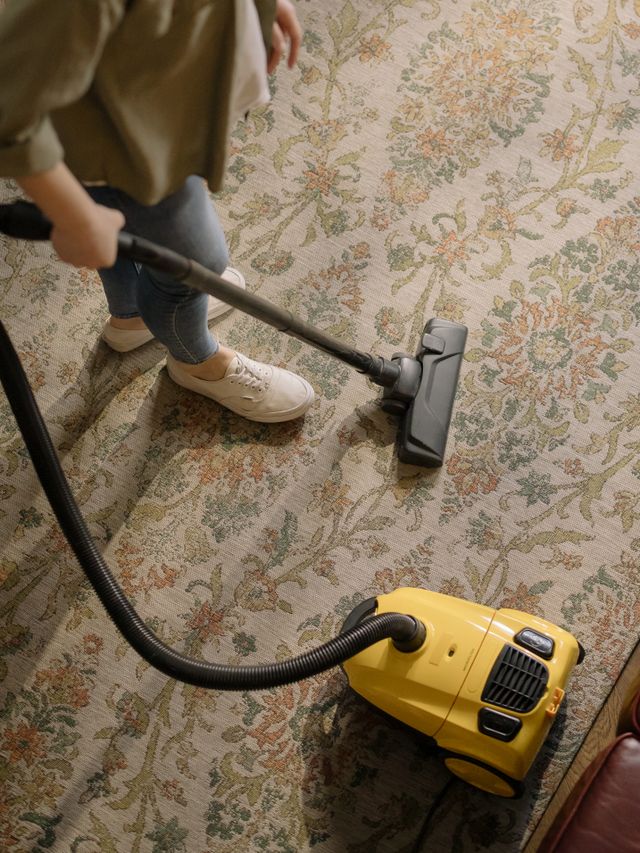
It’s Saturday morning, and you’re standing in a customer’s living room with a wand in one hand and your phone in the other. Three voicemails came in overnight asking for quotes, a property manager wants you back at four units next week, and the two-bedroom you cleaned yesterday still hasn’t paid the invoice you texted them. You haven’t even started the extraction yet, and the office work is already stacking up.
That’s the reality for most carpet and upholstery cleaners running a small crew. The actual cleaning is the easy part. It’s the booking, the quoting, the reminders, and the getting paid that eat your evenings and leak revenue — a no-show here, a forgotten follow-up there, a card you never collected because you were on to the next stop.
The right carpet cleaning software closes the money-losing gaps: it lets customers book online, turns one-off cleans into repeat accounts, sends a reminder so the truck isn’t sitting outside an empty house, documents the work with before-and-after photos, and collects payment before you pack up the hoses. This guide compares realistic options for a solo- to 15-person shop and where each fits.
What Carpet Cleaning Software Actually Needs to Do
Carpet cleaning is a mix of one-off residential jobs, recurring commercial accounts, and quote-heavy work where the price depends on square footage, soiling, and stain treatment. Generic scheduling apps handle the calendar but miss the parts that actually move money:
| Carpet-Specific Need | Why It Matters |
|---|---|
| Online booking | Homeowners search on a phone at 9 pm and want to book then, not wait for a callback. If they can’t schedule in two taps, they book the next company that lets them |
| Recurring commercial accounts | Offices, restaurants, and property managers on a monthly or quarterly cadence are your steady base. The schedule and the billing should repeat automatically instead of being re-booked by hand |
| Appointment reminders | Carpet cleaning requires the room to be cleared and someone to be home. A day-before reminder is the difference between a paid job and a wasted drive across town |
| Before/after photos | Traffic lanes, pet stains, and upholstery come out dramatically different. Photo proof kills disputes, justifies the price, and doubles as marketing material |
| Professional quotes | Pricing by room count or square footage, with add-ons for protectant and stain treatment — sent as a branded quote a customer can approve, not a number scribbled on a card |
| On-site payment | Get the card charged in the driveway. Chasing a residential invoice for a $220 clean costs more in follow-up time than the job is worth |
The single biggest lever is getting paid on site. A two-truck shop running 8 residential cleans per day at an average of $220 is invoicing roughly $1,760 per day. If even a fifth of those go home unpaid and take two follow-ups each to collect — and a couple never pay at all — you’re bleeding both hours and revenue on money you already earned. Charging the card before the truck leaves the curb closes that gap completely.
The Options, Compared
| Tool | Best For | Price (5 users) | Online Booking | Recurring + Billing | Before/After Photos | On-Site Payment |
|---|---|---|---|---|---|---|
| RevoField | Small carpet & upholstery shops (solo–15) | $119/mo flat | Portal booking | Yes, auto-billed | Full, offline | Full |
| ServiceMonster | Carpet-cleaning niche CRM + marketing | Per-account (verify) | Yes | Yes | Yes | Yes |
| Jobber | Simple scheduling + quoting | ~$200–$350/mo | Add-on | Yes | Limited | Yes |
| Housecall Pro | Marketing-focused shops | ~$280–$400/mo | Yes | Yes | Limited | Yes |
| Markate | Budget home-services CRM | Lower tier (verify) | Yes | Yes | Yes | Yes |
Competitor pricing is approximate as of 2026 and typically per-user — verify current pricing before you commit.
1. RevoField — Best for Small Carpet & Upholstery Shops
RevoField for cleaning companies is built for the solo-to-15-person operation that runs a mix of one-off residential cleans and recurring commercial accounts. It covers the whole job — quote, book, clean, document, invoice, get paid — at a flat price that doesn’t climb every time you put another tech on a truck.
How It Works for a Carpet Cleaning Business
- Customer books online. Through the customer portal, homeowners request a time and see their appointment, past cleans, and invoices without calling you. Repeat clients rebook themselves.
- You send a professional quote. Price by room or square footage, add protectant or stain treatment as line items, and send a branded estimate for the customer to approve online. Start from the free cleaning estimate template so pricing is consistent every time.
- Recurring accounts run themselves. Set a monthly or quarterly cadence for an office or property manager once, and recurring jobs auto-generate and land on the schedule on the right day. Nobody re-books the account.
- The reminder goes out and the day gets dispatched. The customer gets an automatic appointment reminder to clear the rooms, and your tech sees the full day — addresses, access notes, and job details — through scheduling and dispatch.
- The tech documents the clean. Before/after photos of traffic lanes and stains, a completed work order, and a signature — all captured on the phone. It works with no signal, fully offline in a basement unit or a rural account, and syncs when back in range.
- You get paid on site. The tech creates the invoice from the field and charges the card before leaving. Payment lands the same day — no statement to mail, no follow-up to chase.
Where RevoField Stands Out for Carpet Cleaning
- The whole job lifecycle at a flat price. Quote, book, dispatch, document, invoice, and collect are all included — the bill doesn’t move when you hire your fourth or seventh tech within a tier.
- Full offline mode. Log the clean, shoot before/after photos, capture a signature, and take a card payment with zero signal. Basement condos and out-of-range commercial sites don’t break the workflow.
- Recurring commercial billing built in. Monthly and quarterly accounts auto-generate on the schedule and auto-bill, so your steady base runs without office labor.
- Before/after photos attached to the job. Every clean carries a timestamped photo record — dispute-proof for the customer and reusable as marketing.
- Professional paperwork. Branded quotes, work orders, and invoices, plus a cleaning inspection checklist to standardize quality across techs, make a two-truck shop look established.
Where It Falls Short
RevoField is a field-service platform, not a carpet-cleaning-only product. It doesn’t ship a dedicated carpet-industry template library or the deep drip-marketing automation that a niche tool like ServiceMonster is built around — there’s no carpet-specific landing page or fiber-type job templates out of the box; you use the general cleaning pages and templates. A few features are still coming rather than live: automated review requests, QuickBooks and Xero accounting sync, and GPS/live-map tracking are on the roadmap, not shipping today. If review automation or accounting integration is a must-have on day one, factor that in. Being newer to market, it also has fewer third-party integrations than the incumbents — check that any niche app you depend on is covered before you switch.
Pricing
Flat per tier, not per-tech: Starter $49/month for up to 3 users ($41/mo billed yearly), Growth $119/month for up to 10 users ($99/mo yearly), and Pro $199/month for up to 15 users. The user limit counts everyone — techs and office staff mixed — and everything is included; nothing is gated behind a higher tier. A typical 5-person carpet shop lands on the Growth plan at $119/month flat, and adding techs six through ten doesn’t change the bill. 30-day free trial, no credit card. See pricing.
Quote, Book, Clean, and Get Paid — Before You Leave the Driveway.
Online booking, recurring accounts, before/after photos, and on-site card payment — for one flat price.
Start Your Free 30-Day Trial
Watch Demo
From $49/month flat • No credit card required • Set up in under an hour
2. ServiceMonster — Best for Carpet-Cleaning-Specific CRM & Marketing
ServiceMonster earns honest credit as the industry-specific option here. It was built for carpet-cleaning and home-services businesses, and its CRM and automated marketing are its real strengths — the follow-up campaigns, “time to clean again” reminders, and drip sequences are designed around exactly how carpet accounts recur. If your priority is squeezing more repeat business out of your existing customer list, this is the tool aimed squarely at that problem.
Strengths for Carpet Cleaning
- Purpose-built for carpet cleaning — the workflows and reporting fit the trade
- Strong customer database and automated marketing/follow-up campaigns
- Scheduling, invoicing, and payment processing tied together
- Postcard and email drip campaigns that bring lapsed clients back
Weaknesses for Carpet Cleaning
- Pricing is account/seat-based — confirm the current cost for your team size before committing (verify as of 2026)
- Deeper marketing feature set means a steeper learning curve than a simple scheduler
- Offline field capability is more limited than a fully offline-first mobile app
Who it’s best for: established carpet cleaning companies whose main lever is marketing to and retaining an existing customer base, and who want a tool designed specifically for the industry. If scheduling and dispatch are your bigger pain, compare approaches in our guide to the best scheduling and dispatch software.
3. Jobber — Best for Simple Scheduling & Quoting
Jobber is a clean, reliable generalist for cleaners who want straightforward scheduling, quoting, and online payments without a steep learning curve. It handles residential one-offs and recurring visits well, and a small team picks it up fast.
Strengths for Carpet Cleaning
- Easy quoting and invoicing with online client approval and payment
- Recurring job scheduling for repeat commercial accounts
- Client Hub lets customers approve quotes and pay online
- Polished, easy-to-learn mobile app
Weaknesses for Carpet Cleaning
- Per-user pricing climbs as you hire — roughly $200–$350/month for 5 users (verify as of 2026)
- Online booking is an add-on rather than core
- Offline access is limited — a problem on basement and out-of-range accounts
- No carpet-specific before/after photo or fiber/stain documentation out of the box
Who it’s best for: small cleaning companies that want simple, dependable scheduling and quoting and don’t run many no-signal jobs. Weighing it against alternatives? Our best Jobber alternatives breakdown goes into more detail.
4. Housecall Pro — Best for Marketing-Focused Shops
Housecall Pro is strong if your main challenge is winning new customers rather than servicing the ones you have. Its marketing and online booking tools are the draw.
Strengths for Carpet Cleaning
- Built-in online booking and marketing — email campaigns and review requests
- Recurring service plans with automatic card billing
- Consumer financing options for larger commercial jobs
- Polished mobile app with a low learning curve
Weaknesses for Carpet Cleaning
- Per-user pricing — roughly $280–$400/month for 5 users (verify as of 2026)
- Limited offline mode, same gap as Jobber for field conditions
- No carpet-specific before/after photo documentation built in
Who it’s best for: shops prioritizing lead generation and growth. For a side-by-side on the two most common generalist picks, see Housecall Pro vs Jobber.
5. Markate — Best for Budget-Conscious Home-Services Shops
Markate is a home-services CRM aimed at small operators who want scheduling, estimates, invoicing, and basic marketing at a lower price point than the bigger platforms. It covers the essentials for a carpet cleaner without a heavy monthly commitment.
Strengths for Carpet Cleaning
- Affordable entry point for a solo operator or small crew (verify current tiers as of 2026)
- Estimates, invoicing, and online payment in one place
- Basic marketing and follow-up tools for repeat business
- Online booking and a customer-facing experience
Weaknesses for Carpet Cleaning
- Feature depth is lighter than the niche or premium platforms
- Offline field capability is limited compared to an offline-first app
- Not carpet-specific — no fiber/stain job templates out of the box
Who it’s best for: price-sensitive solo cleaners and small crews who want the core scheduling-to-invoicing workflow without paying for a heavier platform.
What Your Choice Actually Costs
Sticker price is the start, not the finish. Here’s a realistic comparison for a 5-person carpet cleaning shop (owner + 4 techs):
| Cost Factor | RevoField | ServiceMonster | Jobber | Housecall Pro |
|---|---|---|---|---|
| Monthly subscription | $119 flat (Growth) | Per-account (verify) | ~$200–$350 | ~$280–$400 |
| Cost when you add tech #6 | No change (up to 10) | Likely goes up | Goes up | Goes up |
| Online booking | Included (portal) | Included | Add-on | Included |
| Offline field logging | Full | Limited | Limited | Limited |
| On-site card payment | Full (offline too) | Yes | Yes | Yes |
| Onboarding effort | Under an hour | Moderate | Low | Low |
Competitor figures are approximate and typically per-user — verify current pricing as of 2026.
How to Choose
| If you… | Pick |
|---|---|
| Want the whole job — book, quote, clean offline, invoice, get paid on site — at a flat price | RevoField |
| Live or die by marketing to and retaining your existing carpet customer list | ServiceMonster |
| Want the simplest possible scheduling and quoting and don’t run no-signal jobs | Jobber |
| Care most about lead generation and new-customer acquisition | Housecall Pro |
| Are a solo operator who wants the essentials at the lowest price | Markate |
What to Check Before You Switch
- Can customers actually book online? Test the booking flow yourself on a phone. If it takes more than a couple of taps, you’ll lose the 9pm bookings — see how the customer portal handles self-service.
- Does recurring billing fire automatically? For commercial accounts, confirm the schedule and the invoice both repeat without anyone re-booking — check recurring jobs.
- Will it work where your techs actually work? Test offline behavior on a real basement or out-of-range job before you commit — offline mobile should let you log the clean, shoot photos, and take payment with no signal.
- Does it collect on site? Getting the card charged before the truck leaves is the biggest revenue protector — confirm on-site invoicing and payments.
- Are your quotes consistent and branded? Standardize pricing with a starting cleaning estimate template so every tech quotes consistently.
Stop Chasing Payments and Empty-House No-Shows.
RevoField books your jobs, reminds your customers, documents every clean, and collects on site — offline on any account.
Start Your Free 30-Day Trial
Watch Demo
From $49/month flat • No credit card required • Set up in under an hour
The Bottom Line
For a carpet cleaning business, the software question comes down to one thing: does it close the money-losing gaps between booking the job and banking the payment? That means letting customers book online, turning one-off cleans into recurring accounts, reminding customers so the truck isn’t left outside an empty house, documenting the work with before-and-after photos, and collecting the card on-site.
ServiceMonster is the honest pick if marketing to your existing carpet customer list is your main lever — it’s built for exactly that. Jobber and Housecall Pro are capable generalists with per-user bills that climb as you hire, and Markate is a solid budget option for a solo operator. For a solo-to-15-person shop that wants the whole lifecycle — online booking, recurring commercial billing, offline before/after documentation, on-site payment, and professional quotes — RevoField’s cleaning solution covers it at a flat price starting at $49/month. Grab the free cleaning work order template or start a free 30-day trial and run it on your next route.